
DTF Printer Troubleshooting Guide

This guide provides comprehensive solutions for common DTF printer issues to help you get back online quickly with step-by-step fixes and prevention strategies.
1. Emergency Troubleshooting Protocol
Before diving into specific issues, follow these steps if you encounter severe problems:
- Stop Immediately: Turn off the printer if you notice ink flooding, smoke, burning smells, or electrical sparks.
- Document the Problem: Take photos/videos of error messages and physical damage.
- Check Simple Solutions: Verify power cords, USB connections, ink levels, and basic settings.
- Consult the Manual: Always check your specific model’s manual for manufacturer-specific error codes.
2. Common Print Quality Issues
A. Banding or Horizontal Lines
- Symptoms: Visible lines across the print, uneven color density, or gaps in solid areas.
- Common Causes: Clogged nozzles, misaligned print heads, incorrect print speed, or poor film quality.
- Solutions:
- Run 2-3 head cleaning cycles on the affected color channels.
- Perform a nozzle check to verify ink flow.
- Check and adjust the print head alignment via the printer software.
- Reduce print speed by 20-30%.
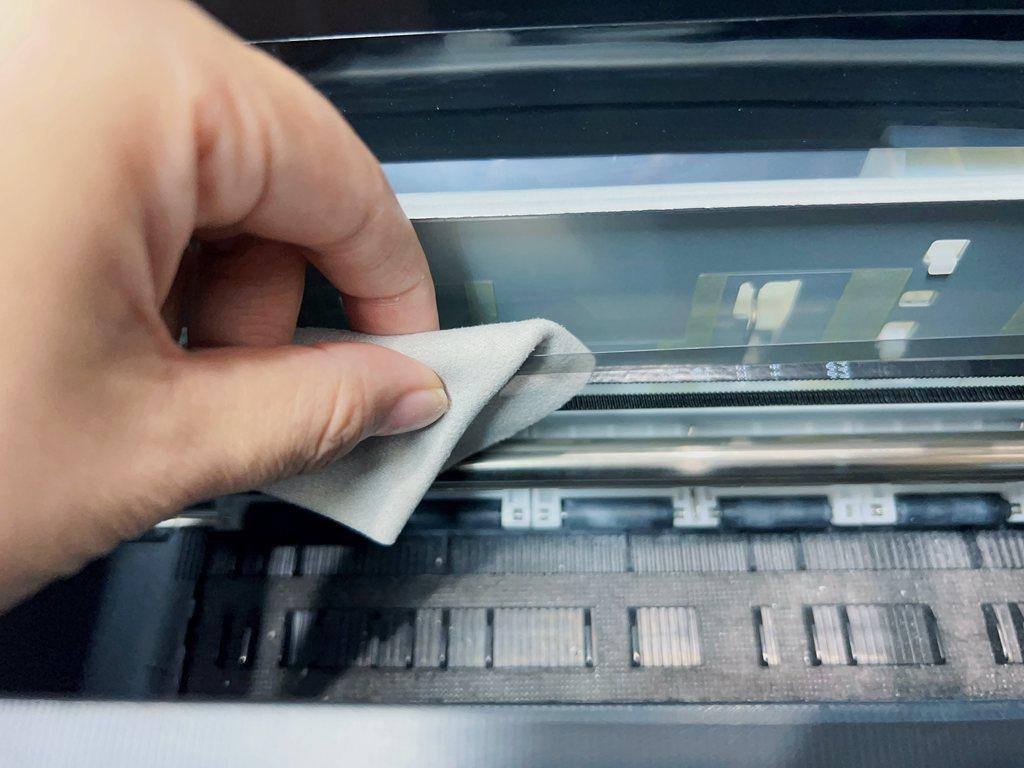
- Clean the Encoder Strip (the transparent strip inside the printer) with a lint-free cloth.
B. White Ink Issues (Missing or Weak White)
- Symptoms: The white layer is translucent, missing entirely, or “clumpy.”
- Common Causes: White ink sedimentation (settling), clogged white nozzles, or air in the lines.
- Solutions:
- Gently shake the white ink tanks or cartridges daily.
- Check if the white ink circulation system (if equipped) is active.
- Perform a “Power Cleaning” if standard cleaning fails.
- Ensure the room temperature is between 20°C – 28°C (68°F – 82°F).
C. Ink Bleeding or Smearing
- Symptoms: Colors running into each other or ink not staying crisp on the film.
- Common Causes: High humidity, incorrect film side, or too much ink output (Ink Load).
- Solutions:
- Verify you are printing on the “matte” (treated) side of the film.
- Reduce the ink limit in your RIP software.
- Use a dehumidifier to keep room humidity between 40% – 60%.
3. Hardware & Maintenance Issues
A. Paper/Film Feed Errors
- Symptoms: Film not loading, skewed feeding, or “Out of Paper” errors despite film being present.
- Solutions:
- Clean the feed rollers with a small amount of isopropyl alcohol.
- Ensure the film roll is not too tight or stuck.
- Check the “PE Sensor” (Paper Edge sensor) for dust or ink debris.
B. Clogged Print Head (Persistent)
- Symptoms: Nozzle check shows missing segments even after multiple cleanings.
- Solutions:
- Use a specialized print head cleaning solution and a lint-free swab.
- Perform a “capping station” cleaning to ensure a good seal.
- If severe, a “wet cap” (letting the head sit on cleaning solution overnight) may be required.
4. Maintenance Best Practices (Prevention)
- Daily: Run a nozzle check and shake the white ink.
- Weekly: Clean the capping station, wiper blade, and around the print head carriage.
- Monthly: Deep clean the encoder strip and lubricate the carriage rail.
- Environment: Maintain a stable temperature and humidity to prevent ink from drying out prematurely.