Ink Tank vs. Ink Cartridges: Which Is Right for Your Printing Needs?

Published: May 26, 2026
When choosing an inkjet printer, the single biggest decision you’ll make is selecting between ink tank systems and traditional ink cartridges. Both produce quality prints, but they differ dramatically in cost, maintenance, page yield, and long-term value.
As a trusted manufacturer of premium printing consumables—including compatible ink cartridges, refill ink bottles, and wide-format ink solutions—Enlite breaks down the pros, cons, and ideal use cases to help you choose wisely.
Factory Direct Solution • 20,000-Page RIPS Ink Pack
Looking for Reliable T13L1–T13L4 (20K Yield) — Enlite High-Yield T13L RIPS Pigment Ink Bag with Stable Chip?
100% OEM-compatible for Epson WorkForce Pro EM-C8100RDWF / EM-C8101RDWF / EP-C8100. Explore our Office RIPS Ink Packs & Cartridges catalog for wholesale pricing.
What Is an Ink Tank Printer?
Ink tank printers use large, refillable built‑in reservoirs instead of single‑use cartridges. You add ink directly from bottles when levels run low, and the system continuously feeds ink to a permanent printhead.
Designed for high‑volume, frequent printing, they drastically lower cost per page while reducing plastic waste.
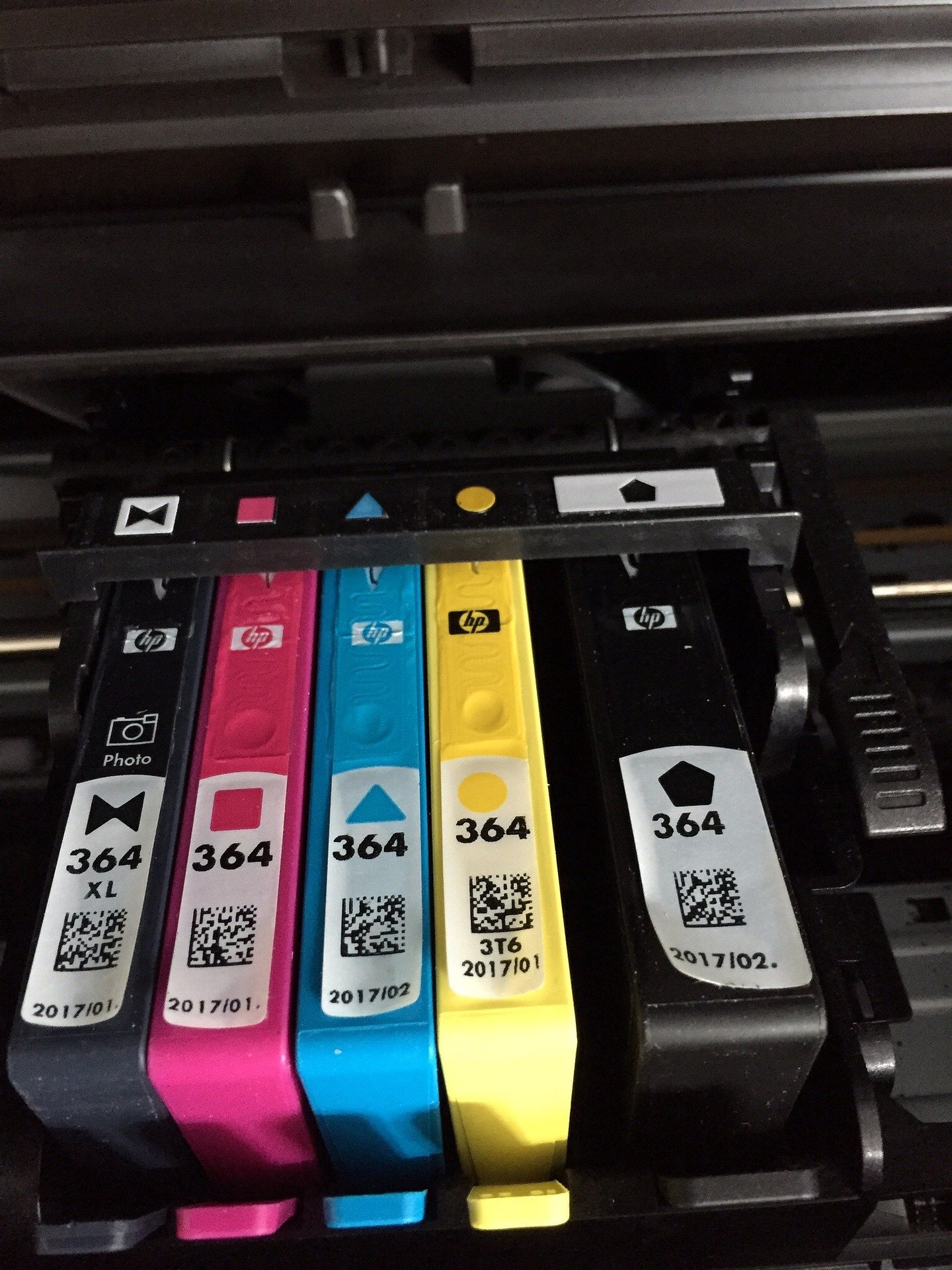
What Is an Ink Cartridge Printer?
Ink cartridge printers use self‑contained, replaceable units that hold both ink and (in many models) a disposable printhead. When empty, you simply swap in a new cartridge.
This system offers simplicity and convenience for light or occasional use.
Key Comparison: Ink Tank vs. Ink Cartridge Printers
1. Cost Efficiency
- Ink Tank: Extremely low cost per page; bulk bottled ink costs far less long‑term.
- Ink Cartridge: Higher cost per page; frequent replacements add up over time.
2. Page Yield & Refills
- Ink Tank: Thousands of pages per refill; far less downtime.
- Ink Cartridge: Limited pages per cartridge; need to replace often.
3. Upfront Price
- Ink Tank: Higher initial printer cost.
- Ink Cartridge: Lower upfront investment; budget‑friendly entry models.
4. Maintenance & Clogging
- Ink Tank: Permanent printhead requires occasional cleaning; risks clogs if idle too long.
- Ink Cartridge: Printhead is replaced with each cartridge; minimal maintenance; lower clog risk for casual users.
5. Convenience
- Ink Tank: Refilling can be messy; must monitor levels closely.
- Ink Cartridge: Plug‑and‑play; clean, fast cartridge swaps.
6. Environmental Impact
- Ink Tank: Far less plastic waste; fewer disposable components.
- Ink Cartridge: Generates more plastic waste from frequent replacement.
Pros & Cons
Ink Tank Printer
Advantages
- Ultra‑low cost per page
- Extremely high page yield
- Fewer interruptions during production
- Eco‑friendly with less waste
- Transparent tanks let you monitor ink levels
Disadvantages
- Higher upfront printer cost
- Refilling can be messy
- Printhead risks clogging with infrequent use
- Not ideal for occasional printers
Ink Cartridge Printer
Advantages
- Lowest upfront cost
- Simple, clean cartridge replacement
- Compact, space‑saving design
- Better for low‑volume, intermittent use
- No risk of spilling during refills
Disadvantages
- High long‑term ink expenses
- Frequent replacements needed
- More plastic waste
- Unexpected outages during jobs
Who Should Choose Which System?
Choose Ink Tank If You:
- Print frequently or in high volumes
- Want maximum long‑term savings
- Run a small business, school, or busy office
- Prefer fewer supply interruptions
- Want to reduce plastic waste
Choose Ink Cartridge If You:
- Print occasionally or lightly
- Want simple, low‑effort maintenance
- Prefer affordable upfront costs
- Have limited storage or workspace
- Want clean, mess‑free operation
Enlite Professional Insight
Whether you use an ink tank or cartridge printer, consumable quality directly affects performance, printhead life, and color consistency.
- For ink tank users: Enlite’s premium refill ink bottles deliver stable viscosity, vibrant colors, and reduced clogging.
- For cartridge users: Our high‑yield compatible ink cartridges provide reliable recognition, consistent flow, and sharp output at a lower cost.
Choosing the right ink system — and the right consumables — keeps your operation efficient, cost‑effective, and trouble‑free.
Final Verdict
- Ink tank printers win for high‑volume users, long‑term savings, and sustainability.
- Ink cartridge printers excel for casual users, low upfront cost, and simplicity.
Understand your printing habits, calculate your page volume, and choose the system that fits your workflow and budget.
Factory Direct B2B Supply • Epson WorkForce Pro RIPS Ink Bags & Commercial Fleet Consumables
Browse All 21 Factory SKUs →Recommended Compatible Consumables & Replacement Parts
T13L1–T13L4 (20K Yield)20,000-Page RIPS Ink Pack
Enlite High-Yield T13L RIPS Pigment Ink Bag with Stable Chip
Compatible Models: Epson WorkForce Pro EM-C8100RDWF / EM-C8101RDWF / EP-C8100
View Technical Specs →Factory Direct
T11P1–T11P4 (XXL)50K BK / 20K CMY Yield
Enlite Extra-High-Capacity T11P RIPS Pigment Ink Packs (1070ml BK)
Compatible Models: Epson WorkForce Pro EM-C800RDWF / EP-C800RDW Series
View Technical Specs →Factory Direct
T05A1–T05A4 (C13T05A100)20K pages Plug-&-Play Pack
Enlite T05A High-Yield RIPS Compatible Ink Bag Supply Unit
Compatible Models: Epson WorkForce Pro WF-C878R / WF-C879R / WF-C878RA / WF-C879RA
View Technical Specs →Factory Direct
T12B120 / T12C12040,000-Page Black Ink Pack
Enlite T12B / T12C High-Yield Black Monochrome RIPS Ink Pack
Compatible Models: Epson WorkForce Pro WF-M5399 / WF-M5899 Monochrome MFP
View Technical Specs →Factory Direct
Explore Related Product Categories:Office RIPS Ink Packs & Cartridges →Chip Resetters & Spare Parts →All Compatible Ink Cartridges →
Technical & Wholesale Procurement FAQs
Q: Why do commercial offices prefer Epson RIPS ink bags (T13L / T11P / T05A) over laser toner?
High-yield RIPS ink bags deliver up to 20,000–50,000 pages per pack with up to 75% lower power consumption, zero ozone emissions, and fewer moving replacement parts than color laser copiers.
Q: How does Enlite prevent "Cannot Recognize Cartridge" errors on compatible ink bags?
Every Enlite RIPS ink bag (T13L, T11P, T11N, T12B/C, T05A) undergoes 100% automated chip programming and vacuum degassing prior to shipment, guaranteeing instant printer recognition.
Q: What is the shelf life of unopened Enlite pigment ink bags?
Unopened Enlite vacuum-sealed foil ink bags have a guaranteed 24-month shelf life when stored horizontally between 10°C and 30°C away from direct sunlight.
Need Bulk Pricing, Custom OEM Packaging, or Model Matching?
Direct from Zhuhai Enlite Factory — ISO9001/ISO14001 certified consumables with 100% tested smart chips.