
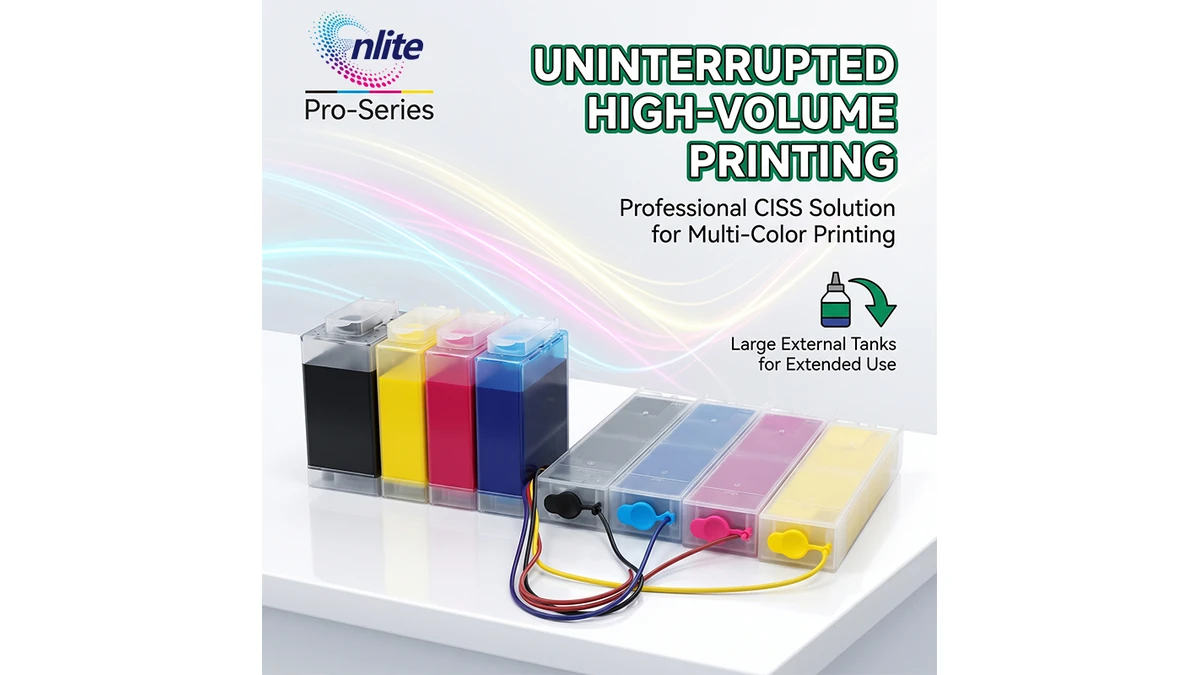
The Complete Engineering Guide to CISS for Epson WorkForce Pro WF-C5290, WF-C5790, WF-C5390 & WF-C5890: Constant-Pressure Setup, Chip Recognition Strategies, and Cost Optimization

Executive Summary (Fleet Operations Benchmark)
Across commercial copy shops, enterprise print departments, and Managed Print Service (MPS) providers, the Epson WorkForce Pro business inkjet series (including the workhorse WF-C5290, WF-C5790 and the next-generation WF-C5390, WF-C5890) represents the primary vehicle for high-speed color duplex document production. While these machines deliver robust 24–25 ipm throughput via Epson PrecisionCore® MicroTFP printheads, operating them on single-use OEM cartridges (T944/T945/T902/IP01 series) creates a prohibitive cost-per-page (CPP) burden. Installing a factory-engineered Continuous Ink Supply System (CISS) transitions the device to a bulk reservoir architecture, lowering recurring consumable expenditures by up to 85%. However, executing this conversion successfully requires understanding fluid dynamics, constant-pressure air balancing, and real-world chip recognition logistics.
1. Fluid Dynamics: The Constant-Pressure Mariotte Bottle Principle
The single greatest operational hazard in third-party CISS installations is hydrostatic pressure instability. Epson PrecisionCore printheads rely on sub-micron piezoelectric chambers that require stable meniscus surface tension at the nozzle plate (approximately −2 to −5 mbar of slight negative pressure).
When an external ink tank is connected via flexible delivery tubing, gravity dictates the hydrostatic head pressure exerted on the printhead:
- Hydrostatic Overpressure (The “Drooling” Syndrome): If an external tank is elevated even 2 to 3 cm above the printer base plane, gravity overpowers the meniscus tension. Liquid ink pools across the nozzle plate, contaminating the wiper blade, flooding the maintenance box, and risking electrical shorts across the printhead FFC ribbon cables.
- Negative Vacuum Starvation (High-Speed Dropout): Conversely, if an external tank cannot draw replacement air or is placed too low, the piezo elements encounter resistance. During sustained duplex coverage or dense graphic runs, nozzles starve for ink, producing severe horizontal banding and thermal cavitation stress on the piezo crystals.
How Enlite Pro-Series CISS Solves Pressure Fluctuations:
The Enlite 300ml CISS Bulk Ink Reservoir System incorporates a dual-chamber Mariotte bottle design. The primary ink storage reservoir is isolated from direct atmospheric head, feeding an internal balancing column via a narrow sub-chamber. As ink is consumed, air enters exclusively through the calibrated breather channel, keeping the hydraulic pressure head constant regardless of whether the external tank is 100% full or down to its last 20ml.
2. The Reality of Chip Recognition Across 2026 Firmware Environments
A critical consideration for equipment managers and technicians is that Epson WorkForce Pro machines require explicit chip identification to initialize print cycles. Unlike desktop eco-tank series, the business WorkForce Pro firmware architecture continuously interrogates the EEPROM chip contacts on the front cartridge bay.
When deploying a commercial CISS, technicians must adopt one of three practical operational pathways:
Pathway A
One-Time Smart IC Chips
Distributors purchase single-use compatible smart microchips matched to their specific regional market code (e.g., T9451–T9454 for Europe, T902XL for Americas, IP01B for Japan). When the gauge reaches zero, the microchip is snapped out and replaced with a fresh chip. This method maintains 100% factory firmware safety without modifying printer software.
Pathway B
OEM Chip Transfer & Resetter
Technicians carefully dismount original OEM microchips from spent factory cartridges, mount them into the CISS cartridge damper guides, and reset the EEPROM registers utilizing dedicated electronic chip resetters (where supported by the specific motherboard revision).
Pathway C
Chipless Firmware Conversion
For select printer models, third-party firmware flashing modifies the mainboard controller to permanently bypass ink-level queries (reporting 100% full indefinitely). Critical Maintenance Rule: Automatic firmware updates via Epson Software Updater or cloud Wi-Fi must be strictly disabled on the printer’s network panel to avoid overwriting the patch.
Note: Enlite supplies its 300ml CISS hardware empty and without chips, giving global distributors complete flexibility to pair their own region-specific chips or firmware solutions without paying for redundant hardware.
3. Step-by-Step Installation & Pipeline Routing Engineering
Clean installation of a continuous ink supply system on Epson WorkForce Pro hardware requires careful attention to line priming and tubing freedom.
- Tank Leveling: Place the 300ml 4-color external reservoir on the exact same flat, level surface as the printer base. Never position the tank on top of the scanner glass or beneath the desk.
- Vacuum Priming: Prior to snapping the inner cartridge dampers into the printer bay, use a blunt-needle syringe attached to the damper exit valve to draw ink from the tank through the silicone tubing until 100% of internal air bubbles are extracted.
- Tubing Slack Calibration: Route the 4-channel silicone ribbon into the printer chassis using the included industrial pipeline clips. Manually slide the printhead carriage gently across its full left-to-right travel stroke. The tubing must have enough slack to reach both far ends without catching on the drive belt, and enough tension to prevent drooping into the paper path.
- Breather Plug Opening: Remove the small rubber transport plugs from the air-balance chambers on the top of the tank and replace them with porous dust-filtration breathers. This allows constant atmospheric intake without debris ingress.
4. Ink Chemistry: Formulations for PrecisionCore MicroTFP Heads
PrecisionCore printheads eject droplets at frequencies up to 50 kHz with droplet sizes as small as 3.8 picoliters. Sourcing bulk bottled ink for a CISS demands strict adherence to chemical specifications:
Enlite formulates proprietary 1-liter bottled pigment and dye inks in its ISO-certified Zhuhai facility, engineered to match genuine DURABrite Ultra ink curves with zero printhead erosion.
5. Fleet Troubleshooting Matrix: Quick Diagnostic Guide
When maintaining a fleet of converted WorkForce Pro printers, technicians should reference this rapid diagnostic matrix to resolve field complaints:
6. Total Cost of Ownership (TCO) Economic Analysis
For an office printing 10,000 pages per month (5% standard ISO/IEC 24712 coverage per color), the savings realized from transitioning to a 300ml CISS system are substantial:
Annual Direct Consumable Savings per 5-Printer Fleet: Over $23,000 USD (88% Cost Reduction).
FACTORY DIRECT B2B SUPPLY
Source Enlite 300ml CISS Kits • Zhuhai Production Base
Operating since 1999 across 64,000㎡ of automated manufacturing, Zhuhai Enlite Technology supplies high-capacity CISS hardware, refillable cartridges, and bulk ink formulations to commercial distributors across 80+ countries.
7. Frequently Asked Questions (B2B Engineering FAQ)
Q1: Can this 300ml CISS system fit both older WF-C5290/C5790 and newer WF-C5390/C5890 printers?
Yes. The external 4-chamber reservoir body, 4-line silicone tubing, and pressure-balancing breather channels are universally compatible across the entire WorkForce Pro 5000 and 5800 series. Only the internal cartridge bay adapters and specific chip codes differ according to model generation.
Q2: Why does Enlite supply this CISS hardware without chips?
Supplying the hardware without chips eliminates unnecessary expense for distributors who already operate custom chipless firmware, carry their own regional one-time microchips (such as T945 for Europe, T902 for the Americas, or IP01 for Japan), or perform OEM chip transfers. It provides maximum logistical agility.
Q3: What maintenance box is required for high-volume WorkForce Pro CISS operation?
Due to periodic automatic borderless wiping and spit cycles, converted printers require maintenance box replacement. For WF-C5290/C5790, the compatible waste box is T6716 (C13T671600), which Enlite also manufactures factory-direct with smart chip resetters.
Q4: How do I order evaluation sample kits for testing in our local service shop?
Commercial distributors and MPS providers can order evaluation units directly from Enlite with fast international air dispatch. Reach out through our WhatsApp Engineering Desk (+86 15992688079) or submit a wholesale quotation inquiry on our contact portal.
[…] standard desktop office printers (such as the Epson WorkForce WF-C5290 / C5790), a compact printhead moves horizontally back and forth across the page. In contrast, the AM-C5000 […]